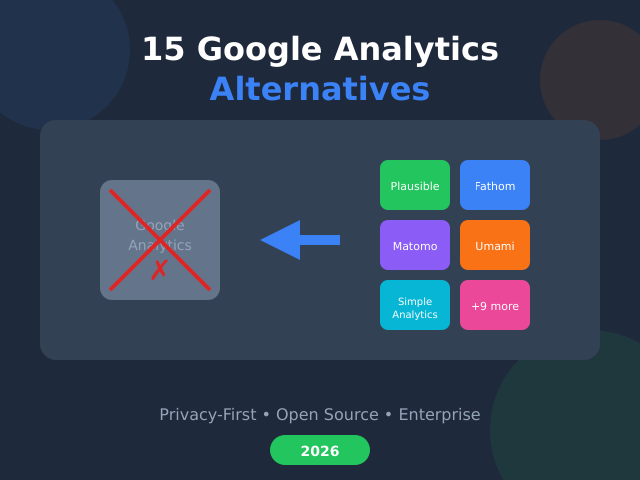
Google Analytics has dominated website tracking for nearly two decades. However, GA4’s complexity, privacy concerns, and data sampling issues have pushed many website owners to seek alternatives. If you’re tired of fighting with GA4’s confusing interface or worried about GDPR compliance, you’re not alone.
I’ve tested and compared 15 Google Analytics alternatives that offer simpler dashboards, better privacy controls, or specialized features. Whether you need a free open-source solution or an enterprise-grade platform, there’s an option here for you. For broader context on the shift away from cookie-heavy tools, our privacy-friendly analytics guide is a good companion read.
Why Look for Google Analytics Alternatives?
Before diving into the alternatives, let’s understand why so many businesses are making the switch. There are several compelling reasons to consider a different analytics tool.
Privacy and compliance issues. Google Analytics transfers data to US servers, which creates GDPR compliance challenges for European businesses. Several EU countries have ruled GA illegal without proper consent mechanisms. Consequently, many site owners prefer tools that keep data within the EU.
Complexity overload. GA4 introduced a completely new data model that confuses even experienced marketers. The learning curve is steep, and simple tasks now require multiple clicks. For small businesses, this complexity is unnecessary.
Data sampling. Free GA4 accounts sample data on larger sites, meaning you don’t see 100% of your traffic. This affects decision-making accuracy. In contrast, many alternatives provide unsampled data.
Cookie consent requirements. Google Analytics requires cookie consent banners in most jurisdictions. These banners hurt conversion rates and user experience. We dig into the numbers in our piece on how cookie consent banners hurt conversions. Therefore, cookie-free alternatives are gaining popularity.
Looking for an interactive comparison? The table below pulls live feature data for the top 3 picks and lets you dig into each tool individually:
| Feature | Plausible | Fathom Analytics | Matomo |
|---|---|---|---|
| Pageviews & visitors |
✓ Pageviews + unique visitors
|
✓ Pageviews + unique visitors
|
✓ Pageviews + visits + visitors
|
| Live visitor count |
✓ Live, ~5s refresh
|
✓ Real-time count
|
✓ Visitors in real-time widget
|
| Top pages report |
✓ By pageviews/visitors
|
✓ By pageviews/visitors
|
✓ Pages report (drillable)
|
| Top referrers |
✓ Source domain breakdown
|
✓ Referrer + UTM breakdown
|
✓ Channels report (drillable)
|
| UTM campaign tracking |
✓ Source/medium/campaign breakdown
|
✓ Source/medium/campaign
|
✓ Full attribution model
|
| Custom events |
✓ All paid plans (Starter $9+)
|
✓ fathom.trackEvent() with optional revenue (_value)
|
✓ Multi-dimensional events
|
| Goals / conversions |
✓ All paid plans
|
✓ Events with optional monetary value (revenue tracking)
|
✓ Multi-step + revenue tracking
|
| Cookieless by default |
✓ Daily salt rotates every 24h, then deleted
|
✓ Cookieless: no localStorage/sessionStorage; daily salt rotation (24h UTC) on visitor hash
|
~ Opt-in mode (one-line JS or admin toggle); cookies on by default
|
| GDPR-compliant out of the box |
Yes Vendor legal opinion (CNIL-aligned); DE TTDSG/IT Garante stricter
|
True Vendor claims no banner needed (no PII, no terminal storage); legitimate-interest basis
|
Partial CNIL exemption (FR); DSK (DE) + Garante (IT) require case-by-case DPA review
|
| Self-hostable |
✓ MIT, Docker
|
— Cloud-only (no self-host)
|
✓ Free
|
How These Tools Were Evaluated
Each tool was checked against its own documentation, pricing page and interface. Here’s what I looked for:
- Ease of use — How quickly can you find insights?
- Privacy features — Cookie-free tracking, data location, GDPR compliance
- Accuracy — Does it capture all visitors, including those with ad blockers?
- Pricing — Value for money across different traffic levels
- Features — Events, goals, funnels, UTM tracking, API access
- Integration — Works with your existing tools and workflows
Quick Comparison Table
| Tool | Best For | Privacy Focus | Starting Price | Open Source |
|---|---|---|---|---|
| Plausible | Simplicity + Privacy | ★★★★★ | $9/mo | Yes |
| Fathom | Privacy-first businesses | ★★★★★ | $15/mo | No |
| Matomo | GA feature parity | ★★★★☆ | Free (self-host) | Yes |
| Umami | Developers, self-hosting | ★★★★★ | Free | Yes |
| Simple Analytics | EU compliance | ★★★★★ | Free / $20/mo | No |
| Pirsch | German privacy standards | ★★★★★ | $6/mo | No |
| Clicky | Real-time analytics | ★★★☆☆ | Free | No |
| Mixpanel | Product analytics | ★★★☆☆ | Free | No |
| Heap | Auto-capture everything | ★★★☆☆ | Free | No |
| PostHog | Product teams | ★★★★☆ | Free | Yes |
| Piwik PRO | Enterprise compliance | ★★★★★ | No free plan | No |
| Adobe Analytics | Enterprise scale | ★★★☆☆ | Custom pricing | No |
| Rybbit | Modern open-source | ★★★★★ | Free | Yes |
| Countly | Mobile + Web combined | ★★★★☆ | Free (self-host) | Yes |
| Cabin | Carbon-conscious sites | ★★★★★ | Free | No |

1. Plausible Analytics — Best for Simplicity
Plausible is my top recommendation for most website owners. It delivers everything you need on a single-page dashboard without the bloat of traditional analytics tools.
Key features:
- Cookie-free tracking (no consent banners needed)
- Lightweight script under 1KB
- Real-time dashboard
- Goal and event tracking
- UTM campaign tracking
- EU-hosted data centers
In my testing, Plausible captured 15-20% more visitors than GA4 because it bypasses most ad blockers. The dashboard loads instantly and shows exactly what matters: visitors, sources, pages, and conversions.
Pricing: Starts at $9/month for 10K pageviews. Additionally, you can self-host the open-source version for free.
Best for: Bloggers, small businesses, and anyone who values simplicity over complexity. If you’re frustrated with GA4, Plausible feels like a breath of fresh air. For the full breakdown of pricing tiers and the few places it falls short, read our hands-on Plausible review.
2. Fathom Analytics — Best for Privacy-First Businesses
Fathom pioneered the privacy-first analytics movement. It’s built by independent developers who genuinely care about user privacy.
Key features:
- Cookie-free, GDPR/CCPA compliant by default
- Intelligent bot filtering
- Email reports
- Unlimited data retention
- Custom domains for tracking
- EU isolation available
Fathom’s dashboard is slightly more detailed than Plausible’s but remains easy to navigate. Furthermore, their customer support is exceptional — I’ve received responses within hours. I cover whether the $15/mo premium is justified in my full Fathom Analytics review, and if you’re choosing between the two, our head-to-head Plausible vs Fathom comparison covers the trade-offs in detail.
Pricing: Starts at $15/month for 100K pageviews. More expensive than Plausible, but includes more pageviews at the base tier.
Best for: Businesses that handle sensitive data or operate in regulated industries. Fathom’s privacy-by-design approach means you don’t have to worry about compliance.
3. Matomo — Best for GA Feature Parity
Matomo (formerly Piwik) is the most feature-complete Google Analytics alternative. If you need advanced analytics without Google, this is your answer.
Key features:
- Full visitor profiles and session recordings
- Heatmaps and A/B testing
- Funnel and cohort analysis
- 100% data ownership
- GDPR compliant with cookieless option
- Import historical GA data
Matomo offers both cloud and self-hosted options. The self-hosted version is free and gives you complete control over your data. However, the learning curve is steeper than simpler alternatives — I walk through what that setup actually involves in my detailed Matomo review.
Pricing: Cloud starts at $26/month. Self-hosted is free but requires server management.
Best for: Organizations that need advanced analytics features but want to own their data. It’s particularly popular with government agencies and healthcare organizations.
4. Umami — Best Free Open-Source Option
Umami is a beautiful, lightweight analytics tool that developers love. It’s completely free and open-source.
Key features:
- Simple, modern interface
- Multiple website tracking
- Real-time data
- Custom events
- No cookies required
- Easy self-hosting on Vercel, Railway, or your own server
I’ve deployed Umami on Vercel’s free tier for several projects. Consequently, my analytics cost is literally zero. The dashboard is clean and provides all essential metrics without overwhelming you. If you want to try it yourself, our step-by-step Umami self-hosting guide gets you running with Docker in under 15 minutes.
Pricing: Free self-hosted. Cloud hosting available from $9/month.
Best for: Developers and technical users who want full control without paying monthly fees. Also great for agencies managing multiple client sites.
5. Simple Analytics — Best for EU Compliance
Simple Analytics is a Dutch company that takes European privacy seriously. Their entire infrastructure is EU-based.
Key features:
- 100% EU data storage
- No cookies, no consent needed
- Mini websites feature (landing page analytics)
- Tweet and article performance tracking
- Goals and events
- Public dashboards option
Simple Analytics includes unique features like tracking Twitter engagement and creating mini analytics pages for social links. In addition, they’re transparent about their own metrics — their dashboard is public. My full Simple Analytics review digs into who that opinionated minimalism suits best.
Pricing: Starts at $20/month for 100K pageviews, with a free plan for hobby sites.
Best for: European businesses that want peace of mind about GDPR compliance. Also excellent for content creators who want to track traffic without invading privacy.
6. Pirsch Analytics — Best Value for Small Sites
Pirsch is a German analytics platform that offers excellent value, especially for smaller websites. If you run a lean operation, our small business analytics guide walks through how to pick a tool at this end of the market.
Key features:
- Cookie-free, GDPR compliant
- Server-side tracking option
- White-label dashboards
- Conversion goals
- A/B testing support
- German data centers
Pirsch’s server-side tracking is particularly useful for bypassing ad blockers completely. Meanwhile, their pricing is among the most competitive in the market.
Pricing: Starts at $6/month for 10K pageviews. There is no free tier, only a 30-day free trial.
Best for: Budget-conscious website owners who still want privacy-focused analytics. The server-side option is great for accuracy-critical applications.
7. Clicky — Best for Real-Time Analytics
Clicky has been around since 2006 and remains one of the best options for real-time website monitoring.
Key features:
- True real-time analytics (no delays)
- Individual visitor tracking
- Heatmaps included
- Uptime monitoring
- Video analytics
- Twitter analytics
Unlike most alternatives, Clicky shows individual visitor journeys in real-time. This is useful for debugging issues or watching how users interact with new features. However, this detailed tracking means Clicky does use cookies.
Pricing: Free for one site up to 3K daily pageviews. Pro starts at $9.99/month.
Best for: Website owners who need immediate feedback on traffic changes. Particularly useful for monitoring marketing campaigns or product launches.
8. Mixpanel — Best for Product Analytics
Mixpanel focuses on user behavior and product analytics rather than traditional web metrics.
Key features:
- Event-based tracking
- User journey mapping
- Funnel analysis
- Cohort retention reports
- A/B testing integration
- Powerful segmentation
Mixpanel excels at answering questions like “What do users do before converting?” and “Where do users drop off?” These insights are crucial for SaaS customer journey optimization.
Pricing: Free up to 20M events/month. Growth plan starts at $20/month.
Best for: SaaS companies and product teams who need deep behavioral insights. Not ideal for simple blog or content site analytics.
9. Heap — Best for Auto-Capture
Heap automatically captures every user interaction without requiring manual event setup.
Key features:
- Automatic event capture (retroactive analysis)
- Session replay
- User path analysis
- Conversion funnels
- Data science integrations
- No code implementation for basic tracking
The auto-capture feature means you can analyze events you didn’t plan to track. Consequently, you won’t miss important user behaviors just because you forgot to set up tracking.
Pricing: Free up to 10K sessions/month. Paid plans require contacting sales.
Best for: Teams who want comprehensive behavioral data without extensive tracking setup. Also excellent for retroactive analysis.
10. PostHog — Best for Product Teams
PostHog combines product analytics, feature flags, and A/B testing in one open-source platform.
Key features:
- Product analytics and funnels
- Feature flags
- Session recordings
- A/B testing
- Heatmaps
- Self-hosting option
PostHog is essentially an all-in-one product development platform. You can self-host for complete data control or use their cloud offering. Moreover, the free tier is generous enough for most startups.
Pricing: Free up to 1M events/month. Paid plans from $0 with usage-based pricing.
Best for: Product and engineering teams who want analytics, feature flags, and experimentation in one tool.
11. Piwik PRO — Best for Enterprise Compliance
Piwik PRO targets enterprises with strict compliance requirements. It’s not related to Matomo despite the similar name.
Key features:
- Consent manager built-in
- Tag manager included
- Customer data platform
- Private cloud or on-premises
- Dedicated support
- SOC 2 Type II certified
Piwik PRO retired its free Core plan in early 2026 — the entry tier is now Business at €36/mo (up to 20 domains, 2M actions). For enterprise needs, their private cloud ensures data never leaves your control. Additionally, their consent manager handles complex compliance scenarios.
Pricing: Core plan is free up to 500K actions/month. Enterprise pricing is custom.
Best for: Large organizations in healthcare, finance, or government that need strict compliance controls.
12. Adobe Analytics — Best for Enterprise Scale
Adobe Analytics is the traditional enterprise alternative to Google Analytics 360.
Key features:
- Advanced segmentation
- Predictive analytics
- Cross-channel attribution
- Real-time streaming data
- Integration with Adobe Experience Cloud
- AI-powered insights
Adobe Analytics handles massive data volumes without sampling. However, it requires significant investment in both licensing and training. The interface has a steep learning curve.
Pricing: Custom enterprise pricing. Typically $100K+ annually.
Best for: Large enterprises already using Adobe products or needing advanced marketing attribution across channels.
13. Rybbit — Best Modern Open-Source
Rybbit is a newer open-source analytics platform with a modern tech stack and beautiful design. We have a full Rybbit deep-dive review if you want the longer version.
Key features:
- Cookie-free tracking
- Modern, fast interface
- Real-time dashboard
- Event tracking
- Easy Docker deployment
- Active development community
In my testing, Rybbit impressed me with its speed and clean design. It’s built with modern technologies and feels snappier than older alternatives. Furthermore, self-hosting is straightforward with Docker.
Pricing: Free and open-source. Cloud hosting options available.
Best for: Developers who want a modern, actively maintained open-source analytics solution.
14. Countly — Best for Mobile + Web
Countly unifies mobile app and web analytics in a single platform.
Key features:
- Mobile SDK for iOS, Android, React Native
- Web analytics
- Push notifications
- Crash reporting
- User profiles
- Self-hosting option
If you have both a website and mobile apps, Countly provides unified tracking across all platforms. The self-hosted Community Edition is free and feature-rich.
Pricing: Community Edition is free. Cloud plans start at $50/month.
Best for: Companies with both web and mobile products who want consolidated analytics.
15. Cabin — Best for Carbon-Conscious Sites
Cabin is a unique analytics tool that also tracks your website’s carbon footprint.
Key features:
- Privacy-friendly analytics
- Carbon footprint tracking
- Tree planting with usage
- Simple dashboard
- No cookies required
- EU data storage
Cabin calculates the carbon emissions of your website traffic and plants trees to offset them. If sustainability is part of your brand values, this is a meaningful choice.
Pricing: Free for personal sites. Paid plans from $19/month for businesses.
Best for: Environmentally conscious businesses and individuals who want their analytics to align with their values.

How to Choose the Right Alternative
With 15 options to consider, here’s how to narrow down your choice:
Choose Privacy-First Tools If:
- You operate in the EU or serve European visitors
- You want to avoid cookie consent banners
- You value user privacy as a principle
- You need GDPR/CCPA compliance by default
Best options: Plausible, Fathom, Simple Analytics, Pirsch
Choose Feature-Rich Tools If:
- You need advanced segmentation and reporting
- You want to import historical GA data
- You need heatmaps and session recordings
- Your team is comfortable with complex tools
Best options: Matomo, Piwik PRO, Mixpanel, Heap
Choose Open-Source If:
- You have technical resources for self-hosting
- Budget is a primary concern
- You want complete data ownership
- You prefer customizable solutions
Best options: Umami, Matomo, PostHog, Rybbit, Countly
Choose Enterprise Tools If:
- You process millions of events monthly
- You need dedicated support and SLAs
- Compliance certifications are mandatory
- You require cross-channel attribution
Best options: Adobe Analytics, Piwik PRO Enterprise, Mixpanel

Migration Tips
Switching from Google Analytics doesn’t have to be painful. Here are some tips from my experience helping businesses migrate:
- Run tools in parallel first. Install your new analytics alongside GA4 for 2-4 weeks. This helps you compare data and build confidence.
- Focus on trends, not exact numbers. Different tools count visitors differently. What matters is that trends remain consistent.
- Document your current GA setup. List all events, goals, and custom dimensions before migrating. This ensures nothing gets lost.
- Start simple. Begin with basic pageview tracking, then add events and goals gradually. Our minimalist analytics checklist helps you decide which numbers are worth tracking from day one.
- Consider data retention needs. Some tools offer unlimited retention; others don’t. Plan accordingly.
Frequently Asked Questions
Is Google Analytics really free?
Yes, but you pay with your data. Google uses your analytics data for advertising purposes. Privacy-focused alternatives don’t monetize your data, which is why they charge subscription fees.
Will I lose historical data when switching?
You can export data from GA4 before switching. Some tools like Matomo can import historical GA data. However, most businesses find that starting fresh isn’t as problematic as expected — historical trends matter more than exact numbers.
Are cookie-free analytics accurate?
Cookie-free tools often capture more visitors because they bypass ad blockers and don’t require consent. In my testing, Plausible and Fathom consistently showed 15-25% more traffic than GA4.
Can I use multiple analytics tools?
Absolutely. Many businesses use a simple tool like Plausible for daily monitoring and a product analytics tool like Mixpanel for deeper behavioral analysis. Just be mindful of page load impact.
What about Google Search Console?
Google Search Console is separate from Google Analytics and remains valuable for SEO data. You can use Search Console alongside any analytics alternative — they serve different purposes.
Do small websites really need GA4?
Most don’t. A blog or small business site rarely needs GA4’s event-based model — a simple page-and-source dashboard gives the same actionable insight without the configuration overhead. We unpack this in why most small websites don’t need GA4 complexity.
What’s the easiest way to switch from GA4?
Pick a privacy-first tool with a single tracking script — Plausible, Fathom, or Pirsch — install it alongside GA4 for two to four weeks, and confirm trends line up. Once you’re comfortable, drop the GA4 tag. No data migration required for most small sites. For a worked example, follow our 30-minute GA4-to-Plausible migration.
Bottom Line
Google Analytics isn’t your only option anymore. Whether you prioritize privacy, simplicity, or advanced features, there’s an alternative that fits your needs.
For most website owners, I recommend starting with Plausible or Fathom. They’re simple, privacy-friendly, and show you exactly what you need to know without the complexity of GA4. If you’re comfortable with simpler analytics, these tools will serve you well.
For product teams and SaaS companies, Mixpanel, PostHog, or Heap offer the behavioral insights you need. For enterprises with strict compliance requirements, Matomo or Piwik PRO provide the features and control you require.
The best analytics tool is one you’ll actually use. Pick something that matches your technical comfort level and business needs, then focus on what matters: understanding your visitors and improving their experience.
Compare two tools head-to-head
Once you have shortlisted two analytics tools, the next step is a direct, feature-by-feature comparison. The comparison tool below pulls live pricing, privacy, and capability data for each pair.
Direct comparisons (all 10)
- Fathom vs Plausible — both top-tier privacy SaaS; Plausible cheaper + open-source, Fathom adds uptime monitoring
- Matomo vs Plausible — heavyweight feature set vs lightweight focus
- Plausible vs Simple Analytics — Plausible has more depth, Simple goes further into minimalism
- Plausible vs Umami — polished SaaS vs developer-friendly self-host
- Fathom vs Matomo — premium SaaS polish vs open-source plugin ecosystem
- Fathom vs Simple Analytics — two boutique privacy SaaS, very different opinions
- Pirsch vs Plausible — German hosting + cheaper events vs larger ecosystem
- Matomo vs Umami — two open-source projects, different generations
- GoatCounter vs Plausible — ultra-minimalist free vs polished $9/mo
- Fathom vs Umami — polished hands-off SaaS vs developer self-host
Individual tool deep dives
Each tool has its own detail page with the full feature matrix, weaknesses, setup walkthrough, and migration notes:
- Plausible — AGPL open-source, $9/mo, 1KB script
- Fathom Analytics — closed-source SaaS, $15/mo, built-in uptime
- Matomo — GPL open-source, free self-host, 100+ plugins
- Umami — MIT open-source, free self-host, modern stack
- Simple Analytics — closed SaaS, AI summaries, opinionated minimalism
- Pirsch — German-hosted, cheap entry, strong event tracking
- GoatCounter — EUPL, free for personal use, 1KB tracker
Pricing checked against vendor sites on 13 August 2026.