Why Privacy-Friendly Analytics Matters More Than Ever
Let’s get one thing straight: people hate being watched.
You feel it too, don’t you? That uncanny sense when ads follow you across the internet like a clingy ex. As a webmaster and someone who’s sat through way too many marketing meetings, I’ve seen it all — the heatmaps, the funnels, the session replays. There’s something almost dystopian about it. Like, when did we decide it was okay to treat every visitor like a lab rat?
Here’s the kicker — most users are catching on. Browsers like Brave and Firefox are blocking trackers by default. Laws like GDPR and CCPA are more than just acronyms to scare your legal team — they’re signals. People want privacy. And as website owners, analysts, and marketers, we need to listen.
Let’s stop being the creeps.
What “Creeping” Looks Like in Traditional Analytics Tools
If you’ve ever worked with Google Analytics or its bloated cousin GA4, you know the drill. You start with good intentions: “Let’s just track conversions.” Fast forward two weeks and you’re building regex goals inside nested reports while your client is still asking what “bounce rate” means.
And let’s be honest — how many of us really need 200 dimensions of user data? Tracking user activity in web applications should not feel like configuring a nuclear reactor.
What’s worse, a lot of these website tracking tools use fingerprinting, third-party cookies, and other shady tactics that users never agreed to. You get that popup — “This site uses cookies” — and people just click “Accept” to get it out of the way. That’s not consent. That’s fatigue.
We’ve built a culture around “track everything, analyze later.” But later rarely comes.
The Case for Minimalist Analytics
Here’s the moment that changed it all for me.
I was consulting a small eCommerce client. Great product, killer niche. But their GA dashboard looked like the cockpit of a 747. After weeks of trying to “make sense” of their reports, they asked:
“Mark, can you just tell us how many people came to our site and if they bought something?”
That was it. That was the whole thing.
It hit me like a cold restart at 2 a.m. — most businesses don’t need complex dashboards. They need clarity. And context. That’s it.
Tracking user activity in web applications shouldn’t mean becoming a surveillance state. It should mean answering real questions that help real people make real decisions.
Tools That Let You Track Without Tracking People
| Feature | Google Analytics 4 (GA4) | Plausible | Fathom | Umami |
|---|---|---|---|---|
| Cookie-free | ❌ No | ✅ Yes | ✅ Yes | ✅ Yes (by default) |
| GDPR / CCPA compliant | ⚠️ Partially* | ✅ Fully | ✅ Fully | ✅ If configured correctly |
| Needs cookie banner? | ✅ Yes | ❌ No | ❌ No | ❌* Depends on setup |
| Open Source | ❌ No | ❌ No (but transparent) | ❌ No | ✅ Yes |
| Self-hosting available | ❌ No | ⚠️ Enterprise only | ❌ No | ✅ Yes |
| Ease of installation | ❌ Complex | ✅ Very easy | ✅ Easy | ✅ Easy |
| Script size / speed | 🐢 Slow (~45–70kb) | 🚀 Fast (~1kb) | 🚀 Fast (~1.6kb) | 🚀 Fast (~2kb) |
| Supports goals / events | ✅ Yes (but complicated) | ✅ Yes (via API or URL) | ✅ Yes | ✅ Yes |
| Pricing | 💸 “Free” (you are the product) | 💵 From $9/month | 💵 From $15/month | 🆓 Free (self-hosted) |
| Customer support | ❌ No direct support | ✅ Excellent | ✅ Personal support | ❌ Community-based only |
| Best for | 🏢 Enterprises, ad agencies | 🧑💻 Startups, indie sites | 🧑🎓 SaaS, freelancers | 👨🔧 Developers, hackers, techies |
So if Google Analytics feels like using an IDE to write a tweet, what’s the alternative?
Enter the new wave of lightweight, privacy-first website tracking tools.
Plausible was the first tool I tried that made me nod and mutter “Finally.” It gives you a clean, focused dashboard. No cookies. No creepy scripts. Just straight-up insights like traffic sources, top pages, and goals — all in one screen. It’s like Notepad for analytics, in the best way.
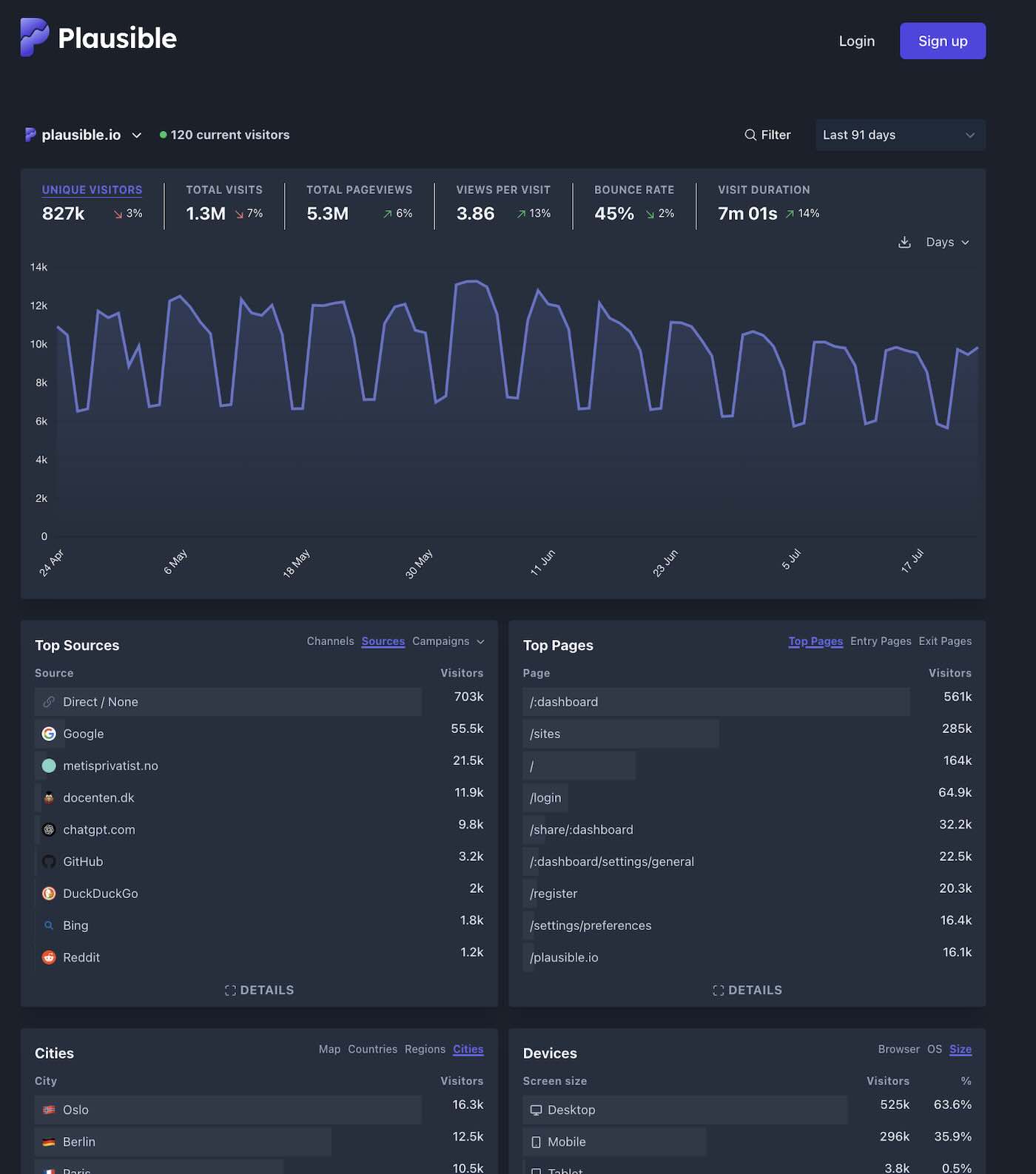
Fathom takes it a step further. It’s fast — like, CDN-level fast. One script, no fingerprinting, and it plays nicely with privacy laws out of the box. Plus, it’s got a sense of humor. Their docs literally say: “We don’t care who your users are, just what they do.”
Simple Analytics is another solid pick. Think of it as the “Steve Jobs” of analytics — it just works. Minimal interface, instant loading, human-readable metrics. Even your clients will get it.
There are others too: Matomo if you want control, Umami for the open-source crowd, and GoatCounter if you’re the indie dev who likes their tools raw and clean — our GoatCounter review covers what that minimalism gets you.
Point is, these tools show you how to track user activity on website traffic — not people. If you just want to get started without spending anything, our guide to checking website traffic with free methods walks through six that actually work.
If your business genuinely needs to recognize the same person across phone, laptop, and tablet, skip the third-party cookie route entirely. A first-party approach to cross-device identity resolution handles that with login IDs, hashed contact keys, and clear consent — no fingerprinting required.
How to Get Started with Ethical Analytics (Step-by-Step)
So you’re ready to stop creeping and start tracking with purpose? Love it. Here’s how to track online activity — responsibly, efficiently, and without making your visitors feel like they’re under a microscope.
Step 1 — Define the Metrics That Matter
Before you touch a single script, ask yourself:
“What do I actually want to know?”
Sounds obvious, but most people skip this part. Do you want to see how users find you? Which pages get the most love? How often people click your CTA? Great. That’s plenty.
Don’t go chasing every metric just because it’s there. That’s how dashboards become junk drawers.
Step 2 — Choose the Right Tool for Your Needs
This is where things get fun. If you want an easy plug-and-play setup, try Fathom or Simple Analytics. If you’re a self-hoster or love open source, give Umami or Plausible a spin. You can even test them out on a staging domain — no risk.
Ask yourself:
- Do I need to share reports with clients?
- Do I want to host it myself?
- Do I care about uptime, speed, support?
Pick based on that. Not on what the “cool kids” use.
Step 3 — Install the Tracking Code
Most of these tools give you a script tag. Just drop it in your <head> or use your CMS plugin. If you’re using WordPress, most have integrations that make it a 2-click job.
Important: these scripts are tiny compared to Google’s. Your site will load faster — a win for SEO, UX, and your inner performance nerd.
And remember, you’re not just adding a tracker. You’re subtracting all the bloat.
Step 4 — Ditch the Cookie Banner (If Legal)
Here’s where you feel the real magic.
Because most privacy-first tools don’t collect personal data or use cookies, you might not need a cookie consent banner at all. That’s a game-changer. No more blocking the user experience with popups no one reads.
Check your local laws, of course. But for many sites, this one step alone improves bounce rate and user trust in one go.
Step 5 — Review and Refine Your Dashboard
Once the data starts flowing, spend time with it.
You’ll be amazed how satisfying it is to see:
- A clean referral list (and not 47 entries from Facebook subdomains)
- Your most visited pages at a glance
- Conversion numbers without setting up 12 filters
This is what tracking user activity on website platforms should feel like — helpful, not haunting.
What You Lose (and Gain) by Choosing Privacy-First Analytics
Okay, time for real talk.
Yes — you’ll lose some things. No user-level drilldowns. No exporting session recordings. No segmenting your audience into 47 cohorts based on scroll depth at 3:15pm on Tuesdays. You know, the stuff you swore you’d use and never did.
But what you gain?
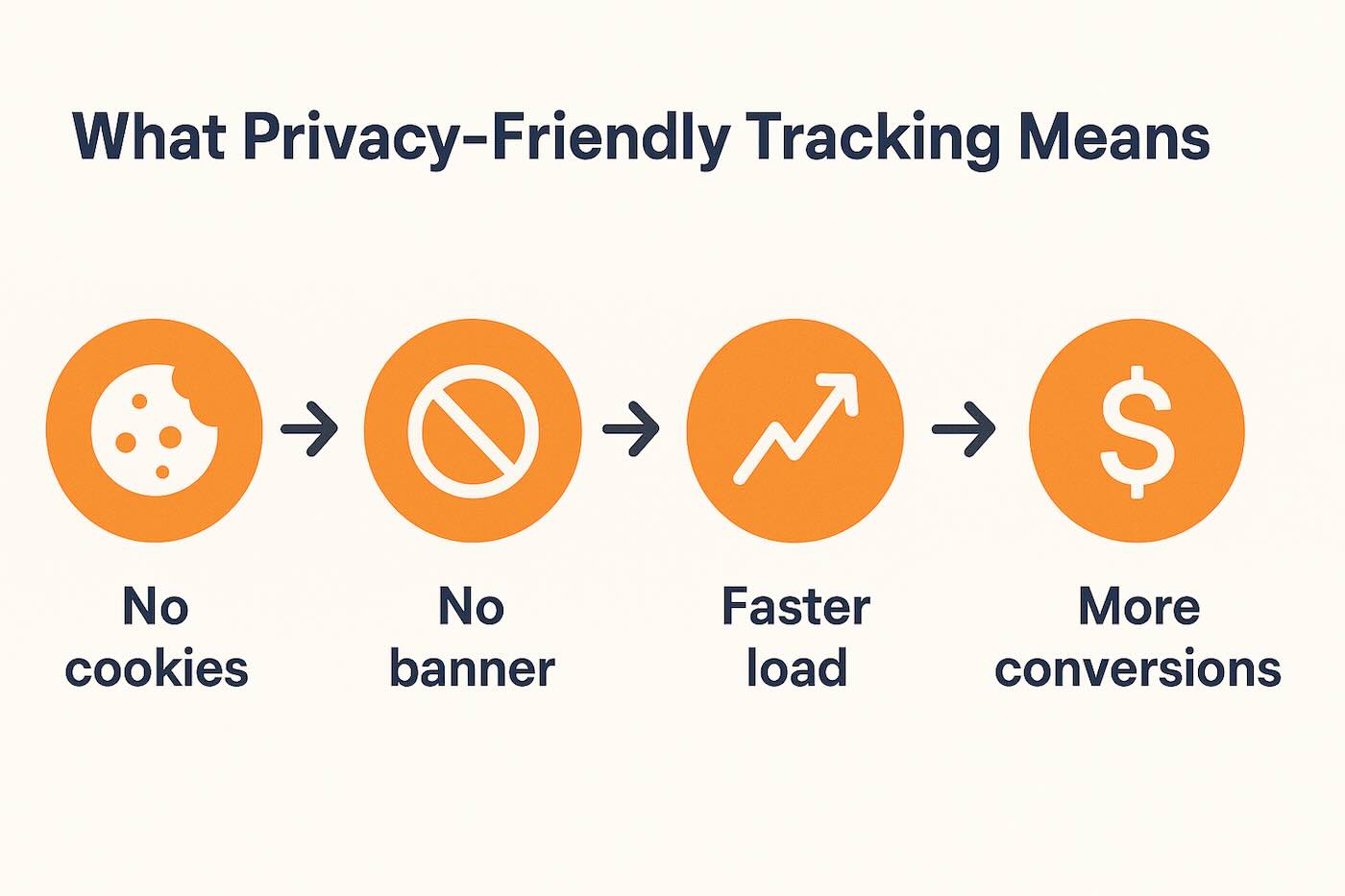
- Speed. No laggy reports.
- Clarity. You see what matters.
- Focus. You stop chasing ghosts in the machine.
- Trust. Your users feel respected, even if they never say it out loud.
It’s like going from an over-engineered CRM to a whiteboard and realizing, “Wait — this actually works better.”
Final Thoughts: Clarity Over Complexity, Respect Over Surveillance
Look — I’m not saying you should never track anything. I’m saying you should track with intent.
Whether you’re running a blog, a SaaS app, a Shopify store, or just trying to get off the GA treadmill, there are better ways now. Lighter. Smarter. Kinder.
You don’t need to spy on your users to serve them well. In fact, they’ll probably thank you (silently, by not bouncing or blocking your scripts).
This isn’t just about metrics.
It’s about mindset.