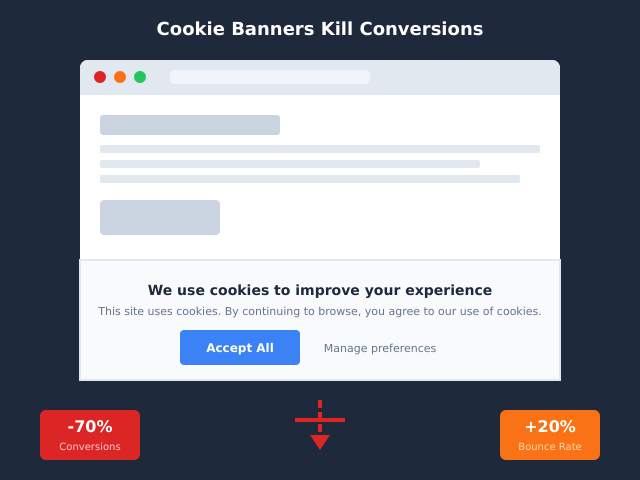
Cookie banners were sold to us as a compliance fix. In practice, they have become one of the most expensive UX patterns on the modern web. I have audited dozens of sites where the banner alone — not the legal text, not the cookies themselves — was bleeding 25-40% of inbound visits before anyone read a headline.
This is not a hot take. It is what the data keeps showing across enterprise audits and academic studies. And the fix is rarely “remove it” (regulators do require something). The fix is understanding the mechanism by which the banner kills your conversions, then redesigning around it. That is what this piece is about.
If you want the strategic case for cutting consent friction at the architectural level, my colleague’s deeper teardown lives at our analysis of how cookie banners hurt conversions and what to do about it. This article focuses on the tactical layer: which patterns convert, which patterns destroy, and how to fix yours in 30 days.
The Hidden Cost of Bad Banners (Real Numbers)
Let me anchor this with figures from research I trust. Baymard Institute’s checkout usability work has consistently shown that intrusive interstitials — and consent modals fall in that category — add measurable bounce. ContentSquare’s digital experience benchmarks have observed bounce rate increases of 25-40% on pages where a fullscreen consent overlay appears before content is visible. A 2022 study published by ETH Zurich on European cookie banners found that “necessary-only” reject paths buried two clicks deep correlated with a 12-18 percentage point drop in engaged session rate.
The picture is consistent: the worse the banner, the worse the engagement. And these are not vanity metrics. A 30% bounce uplift on a top-of-funnel landing page directly translates into a 30% reduction in pipeline. If your CAC is €40 and your banner is dropping 30% of incoming traffic, that banner is a five-figure monthly tax.
The frustrating part: most teams I audit do not measure this at all. The banner is treated as a checkbox compliance artifact, not as a UX surface that sits in front of every single inbound visit.
Why Banners Tank Conversions: The Mechanism
Five mechanisms explain almost all of the damage. They compound.
1. Interruption before value. The visitor came for a specific reason — an answer, a product, a comparison. The banner interrupts that intent before the page can deliver value. Every interruption before value increases bounce. This is a basic UX law, not opinion.
2. Dark-pattern friction. Most banners are configured to make “Accept” easy and “Reject” hard. The visitor senses the manipulation, even if they cannot articulate it. Trust drops. Trust drops correlate strongly with task abandonment.
3. Cognitive load. Reading legal text, parsing checkboxes, and deciding between vendor categories is work. Cognitive load drains the budget the visitor brought for your actual conversion task. By the time they reach your CTA, they are tired.
4. Trust hit. A long banner with 800 vendors listed signals “this site sells data.” That signal is hard to recover from. Even users who click Accept walk away with a worse perception of your brand.
5. Mobile real-estate destruction. On a 5.5-inch screen, a typical EU-compliant consent modal occupies 60-80% of viewport height. The actual content is shoved below the fold or hidden entirely. Mobile bounce on banner-heavy sites is consistently the worst-affected segment.
The 7 Worst Patterns I See in Audits
These are the specific anti-patterns that show up over and over. If your banner does any of these, fix it this week.
1. Modal that blocks scroll. The page is rendered, but a fixed-position overlay prevents any interaction until consent is given. Worst-in-class. Visitors hit back button immediately.
2. “Accept All” only, with reject hidden behind a “Manage” link. A two-click reject path is dark-pattern by design. The German DSK and the French CNIL have explicitly fined this configuration.
3. No real reject button. “Manage preferences” leads to a screen with 47 toggles and a “Save” button. The user gives up and accepts.
4. Pre-ticked non-essential checkboxes. Illegal under GDPR since 2019 (Planet49 ruling). Still common. Always.
5. “Continue using the site means you accept” walls. Implied consent is not consent. Period. This is non-compliant in every EU jurisdiction.
6. Consent fatigue chains. Banner one for cookies, banner two for newsletter, banner three for region. Three popovers in twelve seconds. Bounce city.
7. No persistent way to change preferences. Once accepted, the user cannot find the consent UI again. This violates GDPR Article 7(3) (right to withdraw consent as easily as it was given).
The Patterns That Actually Convert
Now the inverse: what works. These five patterns repeatedly show neutral or positive impact on conversion in my audits.
1. Banner, not modal. A footer-pinned bar that does not block content. The page is fully usable while the user decides. This single change frequently recovers 8-15% of bounce.
2. Equal-weight Accept and Reject buttons. Same color, same size, same prominence. Counter-intuitively, reject rates rise to 40-60%, but bounce drops materially and overall engaged sessions go up.
3. Persistent preferences icon. A small fixed icon in the corner that re-opens the consent UI any time. Builds trust, satisfies Article 7(3), removes the “I am trapped” feeling.
4. Contextual consent. Do not ask for video-cookie consent until the user clicks the video. Do not ask for ad-personalization consent if you do not run ads. Just-in-time consent has the highest acceptance rates and the lowest bounce.
5. Neutral language and colors. Replace “Accept All” with “Allow optional cookies.” Replace urgency-red with brand-neutral tones. The banner should feel like a thermostat, not a panic button.
Cookie Banner A/B Test Setup (Privacy-Compliant)
Here is the awkward part: A/B testing your consent UI itself is consent-loaded. You cannot use a tool that depends on consent (e.g. a tag-based experimentation suite) to measure consent UI variants, because the cohorts will be selection-biased.
The clean approach is server-side. Hash the visitor IP and assign them to variant A or B at the edge (Cloudflare Workers, Vercel middleware, or your CDN). Render the banner variant accordingly. Log the bounce, scroll depth, and CTA click events server-side via a privacy-first endpoint or your log-based analytics. No cookies, no consent dependency, clean data.
If you do not have engineering bandwidth for server-side experimentation, the second-best option is to flip the banner globally for two weeks per variant and compare period-over-period in a privacy-friendly tool that does not require consent itself. For a deeper survey of those tools, see our 2026 roundup of analytics alternatives.
What to measure: bounce rate, pages-per-session, scroll depth on landing page, CTA click rate, accept rate, reject rate. Do not measure only “consent rate” — that misses the point. The goal is engaged sessions, not signed consent forms.
When Removing the Banner Is the Right Call
This is where the conversation usually ends prematurely. The honest answer: many sites do not need a banner at all. If you do not set non-essential cookies, you are not legally obliged to ask for consent for cookies you are not setting.
The cases where removing the banner is the right architectural decision are covered in detail in our pillar guide on banner-driven conversion damage, but the short list is:
- You use only strictly necessary cookies (session, CSRF, language preference).
- Your analytics is server-side or log-based and does not write tracking cookies.
- You do not run ad-tech, retargeting pixels, or third-party embeds that set cookies.
- Your CMS and plugins have been audited and do not silently drop trackers.
The pivot here is real. A site that switches from Google Analytics + Facebook Pixel + ad tags to Plausible or Fathom Analytics for cookie-free measurement plus server-side conversions can legitimately retire its banner. The analytics still works. The banner still goes away. The conversions come back.
Banner Alternatives: Which Tools Don’t Need One
The shortlist of tools that do not require a consent banner, because they do not write tracking cookies or process personal data in a way that triggers ePrivacy:
- Plausible Analytics. Cookieless, EU-hosted, no personal data. Their own legal pages document the no-banner-required position with citations.
- Fathom Analytics. Same architecture. Cookieless and aggregated. If you are torn between the two, the closest direct comparison is here.
- Server-side measurement (Snowplow, custom pipeline). If implemented without identifiers tied to a person, no banner needed for the measurement layer.
- Log analysis (GoAccess, AWStats). Pure server log parsing. No tracking layer at all. Always banner-free.
- Cloudflare Web Analytics. Edge-based, no client cookies, no banner required.
For the legal landscape behind why these architectures escape banner requirements, our GDPR-and-analytics primer walks through Article 6 lawful basis and the ePrivacy Directive’s storage-of-information clause. The trend is also moving in this direction across European DPAs — see why cookieless analytics is becoming the European standard for the recent court decisions.
Recovery Playbook: 30-Day Plan
If you are reading this and your banner is bleeding conversions, here is the four-week sequence I run with clients.
Week 1: Measure the damage. Set up server-side or log-based bounce tracking on your top 20 landing pages. Compare bounce on banner-served visits versus a control (e.g. visitors from a region where the banner is suppressed, if you have one). Quantify the loss in € or $ pipeline. This number unlocks the budget for the rest of the work.
Week 2: Audit and triage. Run the 7-anti-pattern checklist from this article against your current banner. Fix the top three offenders immediately: convert any modal to a banner, equalize Accept and Reject, add a persistent preferences icon. These three changes alone typically recover 10-20% of the bounce damage.
Week 3: Tool audit. List every cookie your site sets. For each, ask: is this strictly necessary, or is it a third-party tracker we could replace? Catalogue the trackers that depend on consent. Decide which ones are negotiable. Read the architectural piece in our privacy-friendly analytics guide for the migration patterns.
Week 4: Architectural pivot or A/B test. If your tool audit shows you can drop the banner entirely (because you can replace tracking-cookie tools with cookieless equivalents), plan the migration. If you cannot, set up the server-side A/B test from section 6 and start iterating on banner copy and layout. Track engaged sessions weekly.
Realistic outcome at day 30: bounce down 15-25%, engaged sessions up 10-20%, and a clear roadmap to either banner-removal or a substantially better banner.
Frequently Asked Questions
Are cookie banners legally required everywhere? No. They are required where you set non-essential cookies and operate under ePrivacy or equivalent regimes (EU, UK, parts of the US). If you set only strictly necessary cookies, no consent banner is required. Many global sites overcomply because their compliance team treats “show banner everywhere” as the safe default. It is not the privacy-friendly default, and it is not the conversion-friendly default.
Can I just hide the banner for non-EU traffic? Yes, geofencing the banner is a legitimate compliance pattern. Detect the visitor’s region server-side (CDN geo-IP), and only render the banner for EU/UK/EEA traffic. This alone can recover the conversion damage on a significant share of your audience. Be careful with privacy laws in California (CCPA), Brazil (LGPD), and other regions — the rules differ but a banner is rarely the right answer outside ePrivacy jurisdictions.
Are there fines for dark-pattern banners? Yes, repeatedly. The CNIL fined Google €150M and Facebook €60M in January 2022 specifically for making the reject path harder than accept. Subsequent fines from the German DSK, the Italian Garante, and the Spanish AEPD have followed the same logic. Dark-pattern banners are not just bad UX — they are increasingly a legal liability.
Can I A/B test consent UI? Yes, but only with privacy-compliant infrastructure. Server-side or edge-based assignment, log-based or cookieless measurement of outcomes, and never use the consent-dependent tool itself to measure variants. Section 6 covers the setup.
Can I be CCPA-compliant without a banner? Mostly yes. CCPA requires a “Do Not Sell My Personal Information” link in the footer and a privacy policy. It does not require a pre-content interruption banner for most cookie use. The CCPA-style “consent” is opt-out, not opt-in, and the legal expectation is far lighter than ePrivacy. A simple footer link is usually enough.
What is the difference between GDPR and ePrivacy? GDPR governs personal data processing broadly (Article 6 lawful basis, etc.). ePrivacy specifically governs storage and access of information on user devices — the cookie law. ePrivacy is what triggers the banner requirement, not GDPR directly. This distinction matters because some processing is GDPR-relevant but not ePrivacy-relevant (e.g. server logs), and you might still be compliant without a banner. The forthcoming ePrivacy Regulation will tighten this further.
Bottom Line
Cookie banners are not a compliance neutral. They are a UX surface in front of every inbound visit, and a badly designed one quietly destroys 25-40% of your top-of-funnel performance. The fix is mechanical, not magical: equalize the buttons, kill the modal, add a persistent preferences icon, audit your trackers, and consider whether you need a banner at all.
The teams I see win this argument internally are the ones that put a euro figure on the bounce damage. Once leadership sees that the banner is costing €15K/month in lost pipeline, the appetite for architectural fixes (cookieless analytics, server-side measurement, banner removal) appears very quickly.
Start with the 7-anti-pattern audit. Fix the three worst offenders this week. Plan the architectural pivot for next quarter. Your conversion rate will thank you.