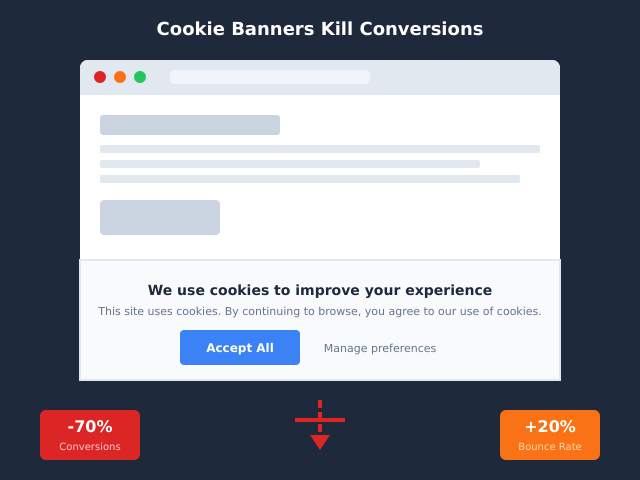
Walk through ten random European websites and you will find ten cookie banners. Walk through the same ten and ask the operators why they have one, and at least half will shrug. They added it because everyone else had one. Their lawyer mentioned GDPR. A plugin came pre-installed. The hosting provider’s onboarding wizard suggested it. Nobody actually checked whether the site needed a banner in the first place.
This article is the checklist nobody runs. The premise is simple: a cookie banner is required only when a specific legal threshold is crossed. Plenty of sites never cross it, and the banner they are showing is pure conversion drag with zero compliance benefit. Worse, a poorly configured banner that nobody needed can actually create new compliance risk by collecting consent records you now have to manage.
What follows is a plain-English read of where the threshold actually sits, five concrete cases where most operators do not need a banner, the borderline cases that get misclassified constantly, and a four-question framework you can run on any site in under a minute. None of this is legal advice — when in doubt, ask a qualified DPO — but it should help you stop reflexively bolting CMPs onto sites that never needed one.
The Legal Threshold: When a Banner Becomes Required
The rule that drives cookie banners in Europe is not GDPR — it is Article 5(3) of the ePrivacy Directive, often called the “cookie law.” It says, roughly, that storing or accessing information on a user’s device requires prior informed consent, with two exemptions: when the storage is “strictly necessary” to deliver a service the user explicitly requested, or when it is required for the sole purpose of carrying out an electronic communication.
That is the entire test. Note what it does and does not say. It does not single out cookies — it covers any client-side storage, including localStorage, IndexedDB, and device fingerprints. It does not mention personal data — even non-personal device storage is in scope. And critically, it says nothing about banners. The law requires consent; the banner is just the most common UI for collecting it. If you are not storing or accessing anything non-essential, you do not need to ask, and therefore do not need a banner.
GDPR enters the picture only when the data you collect (with or without cookies) qualifies as personal data — IP addresses, cookie IDs, device fingerprints. GDPR governs how you process that data; ePrivacy governs whether you can drop the cookie in the first place. The two stack, but ePrivacy is the gate.
So the practical question is: are you placing or reading any non-essential client-side storage? If no, the gate never closes, and the banner is unnecessary. We covered the dividing line between strictly necessary and analytics cookies in our decision tree post, which is the companion to this one.
Case 1: No Cookies, No Banner
The cleanest case. If your site does not set any cookies and does not load any third-party scripts that set cookies, you are outside ePrivacy 5(3) entirely. No consent, no banner, no record-keeping. Just a site.
This is more achievable than most operators assume. Static sites built with Hugo, Eleventy, Astro, or plain HTML, served from a CDN that does not inject session cookies, with no analytics, no embedded video, no ad tags, and no chat widgets — these sites genuinely do not need banners. A surprising number of marketing sites and documentation portals fall into this bucket if you actually audit the network panel.
Self-hosted privacy-respecting analytics like Plausible, Fathom, or Umami are the most common addition that still keeps a site in this category. None of them set cookies by default. They identify unique visitors via a daily-rotating hash of IP plus user-agent plus a salt, computed server-side and discarded after 24 hours. No client-side storage means no Article 5(3) trigger. We covered the mechanics in our first-party tracking without cookies deep-dive, and reviewed the leading tool in the Plausible review. EU operators who want German data residency on top of cookielessness often shortlist Pirsch Analytics for German-hosted reporting as the dedicated alternative.
The catch: you have to actually verify it. Run the site through a cookie scanner — a free one will do — and confirm zero cookies are set on a fresh session before any interaction. Anything you missed (a YouTube embed, a Google Font request that drops _ga, a Cloudflare bot-management cookie) puts you back in scope. We will return to those cases below.
Case 2: Strictly Necessary Only
The second exempt category. If the only client-side storage you place is strictly necessary for a service the user requested, you do not need consent. Common examples that almost every regulator agrees are exempt:
- Session ID cookies that keep a user logged in
- CSRF tokens to prevent cross-site request forgery
- Shopping cart contents on an e-commerce site
- Load balancer affinity cookies that route a user consistently
- UI state cookies that remember whether a user closed a modal
- Language preference cookies set after explicit selection
Note the pattern: each of these directly enables something the user just asked for. If they did not log in, you do not need a session cookie. If they did, the cookie is the mechanism for the thing they requested. That is the test.
The scope is narrower than people want it to be. “We need analytics to improve the site” is not strictly necessary — that is your need, not the user’s. “We need to remember their preferences across sessions” is borderline and depends on whether the user explicitly set the preference. A/B testing cookies are almost never strictly necessary, even when operators claim they are.
If your site really does only set strictly-necessary cookies, you still have a small obligation: a privacy policy or cookie notice that lists what you set and why. But you do not need a banner with accept/reject buttons, because there is nothing to refuse.
Case 3: First-Party Aggregated Analytics with No Identifiers
Server-side and edge analytics that never touch client storage are a third clean case. Server log analyzers like GoAccess, edge-worker analytics like Cloudflare Web Analytics (in the cookieless mode), and most reverse-proxy access-log pipelines fall here. The browser is not asked to store anything; the server records a request happened, aggregates it, and discards anything that could identify a single visitor.
The aggregation matters. If your “server logs” retain raw IPs indefinitely and tie them to user accounts, you have personal data under GDPR even without cookies — and that brings its own obligations, just not banner ones. Aggregated counts of pageviews per URL per day, with no identifier columns, are the safe pattern.
The debatable corner of this case is GA4 in cookieless mode. Google offers a “consent mode” configuration where, if a user declines consent, GA4 sends pings without setting cookies and without a stable client ID. Several EU DPAs have looked at this and arrived at different conclusions. The pings still send IP and user-agent to Google’s servers in the US, which raises an international transfer question independent of the cookie question. Most pragmatic operators in the EU still show a banner if they use GA4 at all, because the legal risk surface is broader than just Article 5(3). For a sharper take on whether GA4 belongs on EU sites, see the best Google Analytics alternatives roundup.
Case 4: Outside ePrivacy Jurisdiction
ePrivacy applies to the use of communication services in the EU and the UK. If neither your service nor your users are there, the directive does not bind you. The practical question is whether you can credibly claim that.
The honest version: you can claim it cleanly if you (a) operate from outside the EU/UK, (b) actively block EU/UK traffic at the edge or geo-redirect them to a separate EU-compliant property, and (c) do not advertise or solicit business in the EU/UK. A US-only B2B SaaS with a Cloudflare rule that blocks European IPs and a US-only sales motion is genuinely outside scope.
The dishonest version, which gets sites in trouble: claiming “we are a US company” while accepting EU customers, running ads targeted at European countries, or having a .eu domain. ePrivacy looks at where the service is offered, not where the company is incorporated. Geofencing only works if it actually fences.
The other twist: GDPR and CCPA banners are not the same thing. CCPA in California, the new state laws in Colorado, Connecticut, Virginia, and others, and Brazil’s LGPD all have their own rules. Some require an opt-out link; few require a pre-consent banner the way ePrivacy does. Falling outside ePrivacy does not mean falling outside everything.
Case 5: B2B/Internal Tools
Login-gated applications used by contracted business users sit in a softer regime. The argument: anyone reaching the page has agreed to the terms of service and the privacy policy at signup, which can include a clear notice about analytics and other client-side storage. ePrivacy’s consent requirement can be satisfied by terms-of-service consent at account creation, provided the consent is informed, specific, and freely given.
This works best for genuinely internal tools — admin dashboards, employee portals, contractor workspaces — where the population of users is finite, contractually identified, and onboarded explicitly. It works less well for self-serve SaaS where anyone can sign up with an email address and where the “consent” is buried in 40 pages of terms.
The marketing site in front of the login wall is a separate question. If your www.example.com homepage runs analytics and the logged-in app does too, the homepage almost certainly needs a banner even if the app does not. We see operators get this wrong constantly: they move the banner off the app (correctly) and forget to leave one on the marketing site (incorrectly).
The Five Cases at a Glance
| Case | What it covers | Why no banner | Watch out for |
|---|---|---|---|
| 1. No cookies at all | Static sites, cookieless analytics (Plausible, Fathom) | Article 5(3) never triggered | Hidden third-party requests dropping cookies |
| 2. Strictly necessary only | Session, cart, CSRF, load balancer | Explicit ePrivacy exemption | Mission creep — A/B testing is not necessary |
| 3. Server-side / aggregated | Log analyzers, edge analytics in cookieless mode | No client storage to consent to | Raw IP retention may still trigger GDPR |
| 4. Outside EU/UK | Geo-fenced US-only services | ePrivacy does not apply | CCPA/LGPD/state laws still might |
| 5. B2B login-gated | Contracted apps with TOS consent at signup | Consent collected at onboarding | Marketing site in front still needs review |
Borderline Cases I See Misclassified
These are the cases where operators most often get it wrong — usually erring on the side of “we do not need a banner” when in fact they do. None of these are exemptions; all of them drop something that triggers Article 5(3).
| Borderline element | Common misconception | Reality |
|---|---|---|
| Embedded YouTube video | “It is just an iframe” | Sets multiple cookies including VISITOR_INFO1_LIVE on first frame load. Use youtube-nocookie.com domain plus consent gate. |
| Google Fonts loaded from CDN | “Fonts do not set cookies” | The request itself transmits IP to Google. German courts have ruled this requires consent or self-hosting. |
| Cloudflare in front of site | “It is just a CDN” | Sets __cf_bm bot-management cookie which is generally treated as strictly necessary, but __cfduid (now retired) and any Workers-set cookies are not. |
| reCAPTCHA on contact form | “Only loads when the form is submitted” | Loads on page load by default and sets cookies before any interaction. Use reCAPTCHA v3 invisible only with conditional loading. |
| Stripe.js for checkout | “Strictly necessary for payment” | Strictly necessary on the checkout page itself. On the homepage where you preload it, it is not. |
The pattern across all five: a third party drops storage, the operator either does not realize or assumes “it is technical, so it is exempt.” Neither is true. We dig into the conversion impact of getting the banner wrong in our piece on consent banners and conversion. If you’ve narrowed your stack down to a banner-free analytics layer and want a head-to-head between two of the most popular options, see our Pirsch vs Plausible breakdown.
The Decision Framework: 4 Questions
Run these in order. Stop at the first “yes.”
- Does your site place or read ANY client-side storage (cookies, localStorage, IndexedDB, fingerprints) including from third-party scripts and embeds? If no — no banner needed. Confirm with a cookie scanner on a fresh session.
- Is every piece of storage from question 1 strictly necessary to deliver something the user explicitly requested? If yes — no banner needed, but maintain a cookie notice listing what you set.
- Are all your users contracted, logged-in B2B users who consented to client-side tracking via your terms of service at signup, AND is there no public-facing marketing site under the same domain? If yes — no banner inside the app, but check the marketing site separately.
- Are you genuinely outside ePrivacy jurisdiction (no EU/UK users, geo-blocked, no European business activity)? If yes — no ePrivacy banner needed, but check CCPA/LGPD/state laws for opt-out obligations.
If none of the four returns “yes,” you need a properly configured consent banner. Not a dismiss-only “we use cookies” notice — a full prior-consent banner with reject as easy as accept, granular choices, and a record-keeping mechanism. That is a separate project, and a meaningful one.
What If You’re Wrong?
Plenty of sites operate without banners when they should have one and never get caught. Plenty of others get caught. Enforcement is asymmetric and rising. A rough sketch of where the risk sits:
| Jurisdiction | Authority | Typical fine range | Enforcement posture |
|---|---|---|---|
| France | CNIL | €10k–€100M+ | Aggressive on banner mechanics; routine sweeps. Fined Google €150M and Facebook €60M for reject-button friction. |
| Germany (state DPAs) | BfDI + 16 state DPAs | €5k–€10M | Active on Google Fonts, embedded media. Many small fines via consumer complaints. |
| UK | ICO | £10k–£17.5M | Less aggressive than CNIL but actively writing guidance. Sweep of top 1000 UK sites in 2024. |
| Italy / Spain / Netherlands | Garante / AEPD / AP | €20k–€20M | Garante banned Google Analytics outright in 2022; AEPD and AP regularly fine for cookie issues. |
The realistic worst case for a small site is a complaint-driven investigation triggered by a single user, followed by a notice to comply within 30 days, followed by a small fine if you do not. The unrealistic worst case — the headline-grabbing eight-figure fine — is reserved for large platforms and is essentially zero risk for a site doing under a million visits a month. But “small fine plus mandatory remediation in public” is still a bad afternoon.
Frequently Asked Questions
Does GA4 in cookieless mode mean I do not need a banner?
No. GA4 cookieless pings still transmit IP and user-agent to Google servers in the US, which raises GDPR transfer questions even when ePrivacy is not triggered. Several EU DPAs have explicitly said GA4 needs consent regardless of mode. Most operators using GA4 in the EU show a banner.
Does server-side analytics mean I do not need a banner?
Generally yes, if the server-side analytics does not set or read any client storage AND does not retain raw IPs in a way that creates personal data records. Plausible self-hosted, GoAccess on access logs, and Cloudflare Web Analytics in cookieless mode all qualify. GA4 server-side via Measurement Protocol does not, because it still relies on a client-side identifier in most setups.
If I embed YouTube videos, do I need consent?
Yes, on the standard youtube.com embed domain, because the iframe sets multiple Google cookies on first paint. Switch to youtube-nocookie.com (still by Google, but no cookies until the user clicks play) and you may be in the clear, but most operators still gate this behind consent because the user-agent and IP still reach Google.
Is a geofence enough to avoid ePrivacy?
Only if it is actually a fence. Blocking EU/UK IPs at the CDN edge, not running ads in those markets, and not having a .eu/.de/.fr/.uk domain together make a credible case. Just calling yourself a US company while accepting European customers does not.
Do I need a banner inside a logged-in B2B app?
Often no, if your terms of service include explicit, specific consent to analytics and other client-side storage that the user accepted at signup, and if the user population is contracted business users. The marketing site in front of the login is a separate question and usually does need a banner.
What about US state laws like CCPA?
CCPA, CPRA, and the newer state laws (Colorado, Connecticut, Virginia, Utah, Texas, and others) require an opt-out for “sale” or “sharing” of personal information, plus a privacy policy disclosure. Most do not require a pre-consent banner the way ePrivacy does — a “Do Not Sell My Personal Information” link in the footer often suffices. Falling outside ePrivacy does not mean falling outside these laws.
Bottom Line
A cookie banner is a compliance tool for a specific legal threshold. Sites that have not crossed that threshold are showing banners for cargo-cult reasons, and paying for it in conversion drag, signup friction, and accumulated consent records they now have to manage. Five legitimate cases — no cookies, strictly necessary only, server-side aggregated, outside jurisdiction, B2B contracted — cover a meaningful slice of the public web. Run the four-question framework on your site, audit the actual network panel, and remove the banner if and only if you genuinely fall into one of the cases.
If you do not — if you are running GA4 or Hotjar or have YouTube embeds or Google Fonts hotlinked — keep the banner, but make sure it is a proper one — our guide to cookie consent UX patterns that don’t tank conversions covers the layouts worth copying. The worst outcome is a banner that hurts conversions and fails to comply, which is exactly what most reflexively-installed CMPs deliver. We covered the way out in the conversion banner piece: either remove it because you legitimately do not need it, or replace it with a privacy-respecting analytics stack that genuinely does not require one.