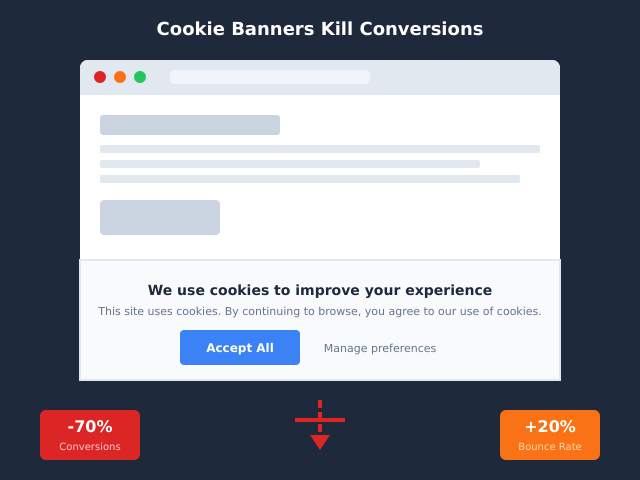
If you run a website that serves European visitors, the line between strictly necessary cookies vs analytics cookies is not a stylistic choice for your banner copy. It is the line that decides whether you need consent at all. Get it right, and your traffic measurement is legal, low-friction, and quiet. Get it wrong, and you are one DPA complaint away from a five-figure fine and a banner that nukes your conversion rate.
This guide walks through what “strictly necessary” actually means under Article 5(3) of the ePrivacy Directive, why analytics cookies almost never qualify (no matter how badly you want the data), and a five-question decision tree you can apply to every cookie on your site this afternoon.
Why the Distinction Matters: Consent or No Consent
European cookie law is built on one simple rule: storing or reading information on a user’s device requires prior, informed consent, with one narrow exception. The exception is for cookies that are “strictly necessary” for a service the user explicitly asked for.
That single word — strictly — does all the work. It does not mean “useful.” It does not mean “important to the business.” It does not even mean “needed for the site to function as the operator wishes.” It means the user cannot get the service they requested without that cookie, full stop.
Analytics cookies fail this test by construction. The user did not request analytics. You did. That is why the cookie banner exists in the first place — and why misclassifying analytics as “necessary” is the single most common, and most penalised, mistake in European compliance audits. For a deeper dive on banner mechanics and how they interact with conversion, see our pillar guide on why your cookie consent banner is hurting conversions and what to do about it.
What “Strictly Necessary” Actually Means in GDPR/ePrivacy
The legal anchor is Article 5(3) of the ePrivacy Directive (2002/58/EC, as amended in 2009). The text permits storing or accessing information on a terminal only if the user has given consent, except when storage or access is “strictly necessary in order for the provider of an information society service explicitly requested by the subscriber or user to provide the service.”
The European Data Protection Board (EDPB) clarified the test in Guidelines 2/2023 on Article 5(3). Two cumulative conditions must hold:
- The service was explicitly requested by the user (clicking “log in,” adding to cart, submitting a form).
- The cookie is strictly necessary to deliver that specific service — without it, the service cannot work, not “would work less well.”
Convenience, performance, optimisation, A/B testing, fraud prevention beyond the immediate session, fingerprinting, retargeting, and — critically — any form of audience measurement all sit outside this exemption. The EDPB is explicit: even first-party analytics owned and operated entirely by the publisher require consent, unless they are scoped so narrowly that they qualify as a separate, very limited exception (more on that below).
GDPR overlays a second layer: even if a cookie is strictly necessary under ePrivacy, the personal data it processes still needs a lawful basis under Article 6 GDPR. For session cookies and CSRF tokens, that basis is usually “performance of a contract” or “legitimate interests.” But the gateway to even reaching the GDPR question is Article 5(3) ePrivacy — and that gateway is narrow. For more on how the two regimes layer, see GDPR and website analytics: what site owners need to know.
The Four Cookie Categories Most Banners Use
Most consent platforms (OneTrust, Cookiebot, Iubenda, Usercentrics) standardise on four buckets. Understanding which require consent is non-negotiable.
| Category | Purpose | Consent Required? | Examples |
|---|---|---|---|
| Strictly Necessary | Deliver a service the user explicitly requested | No | Session ID, CSRF token, login state, shopping cart |
| Functionality / Preferences | Remember user choices (language, font size, region) | Yes | Language preference, dark mode toggle, region selector |
| Analytics / Performance | Measure traffic, behaviour, page performance | Yes | GA4 (_ga, _ga_*), Matomo _pk_id, Hotjar _hjid |
| Advertising / Marketing | Personalised ads, retargeting, conversion tracking | Yes | Meta _fbp, Google Ads _gcl_au, LinkedIn li_*, TikTok ttp |
Notice that three of four categories require consent. The “Strictly Necessary” bucket is the exception, not the rule. If your banner has a “Necessary cookies” toggle that is greyed out and on by default, that bucket should contain only the things that genuinely cannot be removed without breaking the service.
Real Examples of Strictly Necessary Cookies
Here are the cookies that almost universally pass the Article 5(3) test. Note that “almost” is doing real work — context matters, and a cookie that is necessary on a checkout page may not be necessary on a static blog.
| Cookie / Token | Why It Is Strictly Necessary | Typical Lifetime | First or Third Party | Notes |
|---|---|---|---|---|
| Session ID (PHPSESSID, JSESSIONID) | Maintains stateful identity for logged-in features the user requested | Session only | First-party | Should be HttpOnly + Secure |
| CSRF token | Security control on form submissions explicitly initiated by the user | Session | First-party | SameSite=Strict recommended |
| Load balancer affinity cookie | Routes the user to the same backend so their session works | Session | First-party | e.g. AWSALB, JSESSIONID variants |
| Shopping cart contents | Stores items the user explicitly added; without it the “cart” service cannot exist | Up to 30 days typically | First-party | Persistent is acceptable if the user expects it |
| Authentication / login state | Keeps the user logged in to a service they explicitly chose | Session to 30 days | First-party | “Remember me” requires a separate, opt-in flag |
What is not on this list: user preference cookies (those are functionality), reCAPTCHA cookies (Google’s own privacy policy says these are subject to consent in the EU), and any cookie set by a third party such as a CDN or font provider unless the third-party service is itself the thing the user requested.
Why Analytics Cookies Are NEVER Strictly Necessary
This is the part most operators try to argue around. The reasoning usually goes: “We need analytics to run the business. Without them we can’t optimise the site. Therefore they are necessary.”
That argument is rejected by every European DPA that has ruled on it. The “necessity” test is not about your business needs. It is about whether the user’s requested service can be delivered. The user clicked a link to read an article. The article renders without GA4. Therefore GA4 is not necessary.
The CNIL (France) put it bluntly in its 2020 guidelines: audience measurement cookies require consent. They later carved a very narrow exception for first-party analytics that meet six conditions — strict purpose limitation, no cross-site tracking, no enrichment, no transfer outside the controller, IP anonymisation, and a 13-month retention cap. Even then, the cookies are not “strictly necessary” — they are simply exempt from consent as a separate concession. GA4, by default, fails several of these conditions.
The Italian Garante (GPDP) has gone further: in multiple decisions through 2022–2024 it ruled that Google Analytics, even with IP anonymisation enabled, transfers data to the US in a way that violates GDPR Chapter V, and therefore cannot be relied on as a “legitimate interest” or “necessary” measurement tool. For a fuller picture of where European regulators are heading, see why cookieless analytics is becoming standard in Europe.
The mechanism is simple: analytics serves the publisher, not the user. A service the user did not request cannot be “strictly necessary” for them.
Decision Tree: Is This Cookie Strictly Necessary?
Walk every cookie on your site through these five questions in order. If you answer “No” at any step, the cookie requires consent.
| Step | Question | If YES | If NO |
|---|---|---|---|
| 1 | Did the user explicitly request the feature this cookie supports? (login, cart, form submission) | Continue to 2 | Requires consent |
| 2 | Would the requested feature literally fail without this cookie? | Continue to 3 | Requires consent |
| 3 | Is the cookie scoped to the immediate session or the duration of that specific service? | Continue to 4 | Requires consent (or strong justification for persistence) |
| 4 | Is the cookie first-party, or set by a processor acting only on your behalf? | Continue to 5 | Requires consent |
| 5 | Does the cookie do only what is needed for the service — no measurement, no optimisation, no enrichment? | Strictly necessary | Requires consent |
Run the tree on a real example: _ga from GA4. Question 1: did the user request analytics? No. Stop — consent required. Now run it on PHPSESSID on a login page. Q1: yes (they clicked “log in”). Q2: yes (login breaks without server session). Q3: yes (session-scoped). Q4: yes (first-party). Q5: yes (no measurement). Strictly necessary. The tree takes seconds per cookie.
The Cookieless Workaround
The fastest way to escape the entire consent problem is to not set non-essential cookies at all. If your only “analytics” mechanism is server-side log analysis or a privacy-first tool that does not write identifiers to the device, Article 5(3) does not apply — there is no storage or access on the terminal to consent to.
This is why tools like Plausible, Fathom for cookieless audience measurement, Simple Analytics, and Pirsch have grown so quickly. They use no cookies, no fingerprinting, and aggregate visit data server-side. The CNIL has explicitly confirmed that purely server-side measurement that does not place identifiers on the device is outside the scope of Article 5(3) and therefore needs no banner — one of several common cases where you don’t need a cookie banner at all.
The trade-off is loss of cross-session identity (you cannot tell that the same person came back tomorrow). For most publishers and SaaS marketing sites, that trade is worth making — and you get to remove the banner entirely, which typically lifts pageviews per session by 5–15% on its own. We round up the practical options in 15 best Google Analytics alternatives in 2026; if you’ve already narrowed down to two, our Fathom vs Plausible breakdown compares the two cookieless front-runners head to head.
What Happens If You Misclassify
European DPAs have moved from warning letters to fines on this exact issue. A representative sample:
- CNIL (France) 2024: A series of decisions against e-commerce operators for placing analytics and advertising cookies under “necessary” or before consent. Fines ranged from €30,000 to €150,000 for SMEs; multi-million-euro fines for larger publishers.
- CNIL vs Google & Facebook (2022): €150M and €60M respectively, for making “refuse” harder than “accept” — adjacent to the necessary/optional question, but signalling the regulator’s appetite.
- Italian Garante (2022–2024): Multiple injunctions against publishers using Google Analytics under any classification, on transfer-of-data grounds.
- Spanish AEPD (2023): Fines from €5,000 to €40,000 for SMEs that pre-ticked consent boxes or labelled tracking cookies as “technical.”
- Austrian DSB (2022): Ruled GA use unlawful regardless of banner classification, citing Schrems II.
The pattern is consistent: regulators look at the cookie list, check the category labels, and verify that scripts do not fire before consent. Misclassifying a single analytics cookie as “necessary” is enough to trigger an investigation. The differences in enforcement style across jurisdictions are summarised in GDPR vs CCPA cookie banners: the differences.
Operational Audit: 7-Step Cookie Inventory
You can run this audit on any site in under an hour with a private-window browser, devtools, and a spreadsheet.
| Step | Action | Tool | Output |
|---|---|---|---|
| 1 | Open the site in a fresh private window without interacting with the banner | Browser devtools → Application → Cookies | List of pre-consent cookies (should only be necessary) |
| 2 | Record every cookie: name, domain, expiry, HttpOnly, Secure, SameSite | CSV / spreadsheet | Raw inventory |
| 3 | For each cookie, run the 5-question decision tree | Manual review | Classification: necessary / functionality / analytics / advertising |
| 4 | Cross-check against your banner’s category labels | Consent platform admin | List of misclassifications |
| 5 | Identify cookies set before the user accepts | Devtools network tab + cookie panel | Pre-consent leak list |
| 6 | Review third-party requests fired pre-consent (fonts, CDNs, embeds) | Network tab → 3rd-party filter | Third-party leak list |
| 7 | Update categories, fix script-blocking, re-test | Tag manager + consent platform | Clean baseline |
The most common findings on a first audit: GA4 firing pre-consent (Step 5), Google Fonts hitting Google’s servers without consent (Step 6), and “preference” cookies misclassified as “necessary” because they are first-party (Step 3 — first-party does not equal necessary). Cleaning these up usually takes a developer half a day. While auditing, also check what personal data your scripts touch — see PII in web analytics: a practical guide.
Frequently Asked Questions
Is a hashed analytics ID strictly necessary?
No. Hashing changes the identifier’s appearance, not its purpose. If the cookie’s job is to recognise a returning visitor for measurement, it is an analytics cookie regardless of whether the value is plaintext, hashed, or encrypted. The Article 5(3) test is about purpose, not format.
Persistent vs session — does duration affect the classification?
Duration does not change the category, but it does affect the strength of your justification. A persistent cookie that survives the session needs to point to a service the user expects to persist (a logged-in account, a saved cart). A persistent cookie that exists only to track a returning visitor cannot be necessary by definition — that is analytics.
Are third-party fonts (Google Fonts, Adobe Fonts) strictly necessary?
No. The German court in Munich (2022) and several DPAs have ruled that loading Google Fonts from Google’s CDN transfers IP addresses to a US processor and requires consent or, more practically, self-hosting. Self-hosted fonts that set no cookies and call no third party are fine without consent, because no information is being stored or accessed on the device beyond what is needed to render the page.
What about a third-party CDN like Cloudflare?
The CDN itself, serving static assets without cookies, is generally treated as part of the technical delivery and outside Article 5(3). However, Cloudflare’s __cf_bm bot-management cookie and any session-affinity cookies it sets are subject to the same five-question test. Most operators classify __cf_bm as strictly necessary on the security-control basis, but this is contested in some jurisdictions.
Embedded YouTube videos — do they count?
Yes, and they are one of the biggest pre-consent leaks. A standard YouTube embed sets multiple advertising and analytics cookies on first frame. Either use the youtube-nocookie.com “privacy-enhanced mode” embed (which still requires consent for some cookies but reduces the load) or, better, gate the embed behind a click-to-load placeholder so no request fires until the user opts in.
What about GA4’s “cookieless ping” or consent mode v2?
GA4’s consent mode sends “cookieless pings” when a user denies consent. These pings still transmit IP, user-agent, and page URL to Google. Several DPAs (notably the Belgian DPA in 2024 guidance) have indicated that cookieless pings are not exempt — the issue is the data transfer, not the cookie itself. Treat consent mode as a mitigation, not a green light.
Bottom Line
“Strictly necessary” is a narrow legal exemption tied to a service the user explicitly requested, not a convenience label for the operator’s own needs. The four-category model is now standard, and three of four categories — functionality, analytics, advertising — all require prior, opt-in consent. Analytics never qualifies as necessary, regardless of party (first or third), format (hashed or plain), or framing (legitimate interest, anonymised, IP-truncated).
The fastest compliance win is the cookieless route: switch to a tool that does not place identifiers on the device, drop the banner, and recover the conversion lift that comes with it. The second-fastest win is a one-hour audit of your current cookie list against the five-question decision tree above. Either move pulls you out of the regulators’ line of fire and reduces friction for the exact users you want to keep.
If you’re rebuilding measurement from scratch with consent in mind, start with the pillar: how to stop your cookie banner from killing conversions.