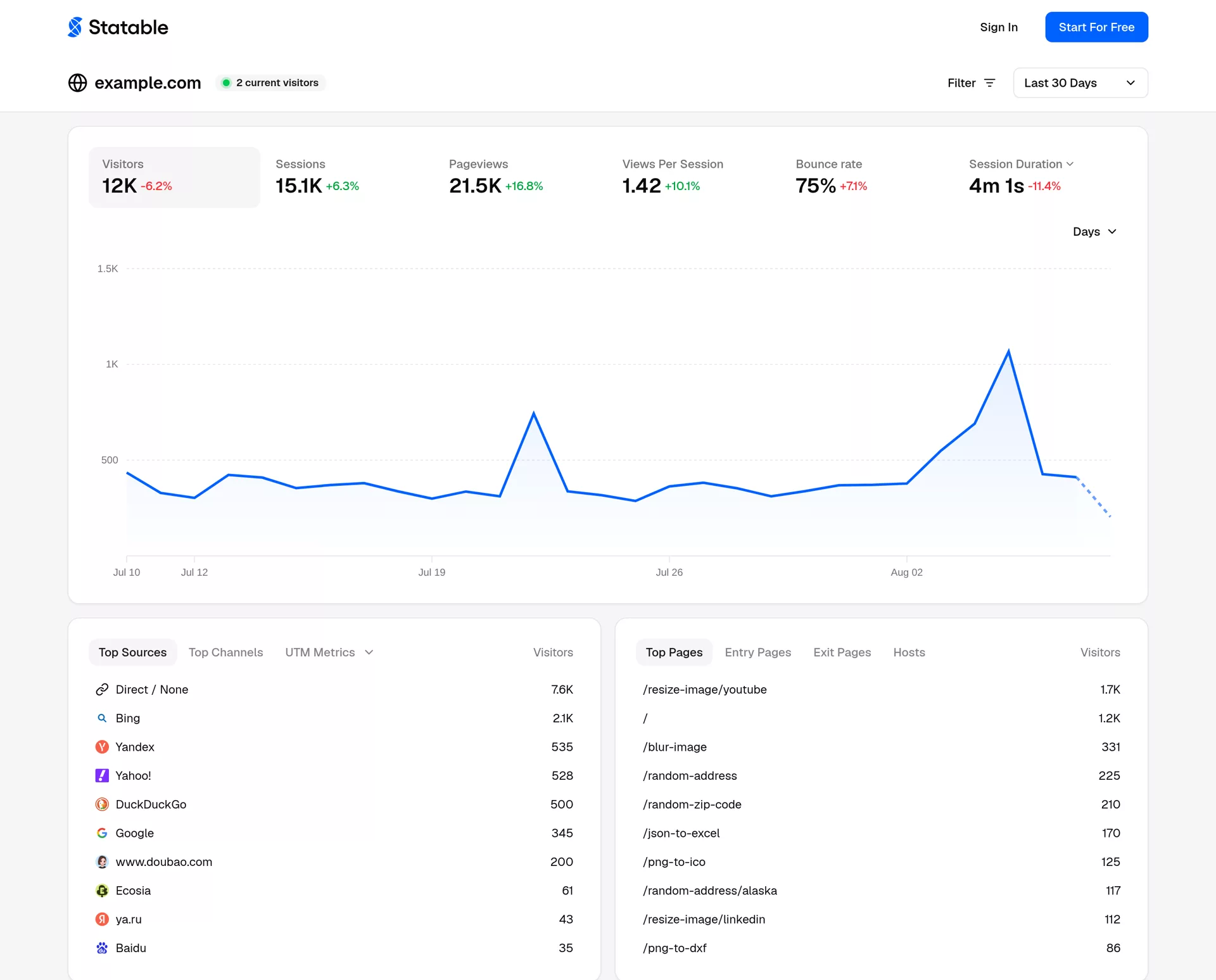
Hosted analytics priced on pageviews alone — all features and unlimited sites on every paid plan
🇳🇱 NetherlandsSince 2026Closed-source SaaS
Single-axis pricing. Every paid plan includes the full feature set and an unlimited number of websites — the price depends only on traffic ($9/month covers 10,000 pageviews, $19 covers 100K). That matters once you run more than one project: there is no plan upgrade just to add a site.
GDPR posture, sub-processors under DPA, per-jurisdiction stance, and encryption — everything a procurement team checks.
?GDPR✓ CompliantEU General Data Protection Regulation
EU's omnibus privacy law requiring a lawful basis for processing personal data (consent, legitimate interest, etc.). Applies to anyone handling EU-resident data. Statable's posture: See compliance section.
Sub-processors (3)
GDPR Art. 28 disclosure — third parties under DPA that may receive data.
🇳🇱
Key Arg B.V. (Statable)
Legal entity (data processor for customer's site visitors)
Netherlands
Real plans, real numbers — pulled from statable.com (verified Aug 2026).
Trial
Trial/30 days
Full access
✓ All features
✓ Unlimited websites
Paid
$9/mo
from 10k pv
✓ All features on every plan
✓ Unlimited websites
✓ GA4 import
✓ Price scales by traffic only
Tech specs
Stack, repo health, deployment options — for engineers evaluating self-host.
Stack
LicenseClosed-source SaaS
Min specsN/A — SaaS only
Deploy
· Cloud SaaS only
Editor review
Reviewed by Mark Sutton, cross-checked against vendor documentation. Click any panel to expand.
+What it does well▾
Single-axis pricing. Every paid plan includes the full feature set and an unlimited number of websites — the price depends only on traffic ($9/month covers 10,000 pageviews, $19 covers 100K). That matters once you run more than one project: there is no plan upgrade just to add a site.
Built-in GA4 importer. Connect a Google account and Statable pulls in your historical GA4 data, so reports don't start from zero. Custom events, goals, funnels and embeddable dashboard widgets ship on every paid plan.
European stack. Servers in the Netherlands, delivery via Bunny CDN (Slovenia). Cookieless by design: no cookies, no persistent identifiers, raw IP addresses never stored, visitor ID rotates daily.
−Weaknesses & gotchas▾
Closed source and cloud-only. There is no self-hosted option, which rules it out for teams that require full infrastructure control.
Newer entrant. A shorter track record than Plausible or Matomo, and a smaller community around it.
Daily-rotating visitor ID. Like most cookieless tools, it cannot follow a visitor across multiple days — multi-day journeys are out of scope.
Free tier is narrow. Free usage exists only for .edu domains and GitHub/GitLab Pages sites; everyone else gets a 30-day trial.
★Best for▾
Freelancers and agencies running several sites (unlimited websites on every paid plan); teams leaving GA4 who want to keep their history; content sites that want analytics without a consent banner.
⚡Setup walkthrough▾
One JavaScript snippet before the closing head tag. Official install guides cover Next.js, Nuxt, React, Vue, WordPress, Google Tag Manager and plain HTML. Data appears in the dashboard within minutes of the first visit.
↔Migrating from GA4▾
From Google Analytics 4: connect your Google account in the settings, pick the property, and the importer brings in historical aggregate data alongside new traffic. Details: Import from GA4.